Study Guide
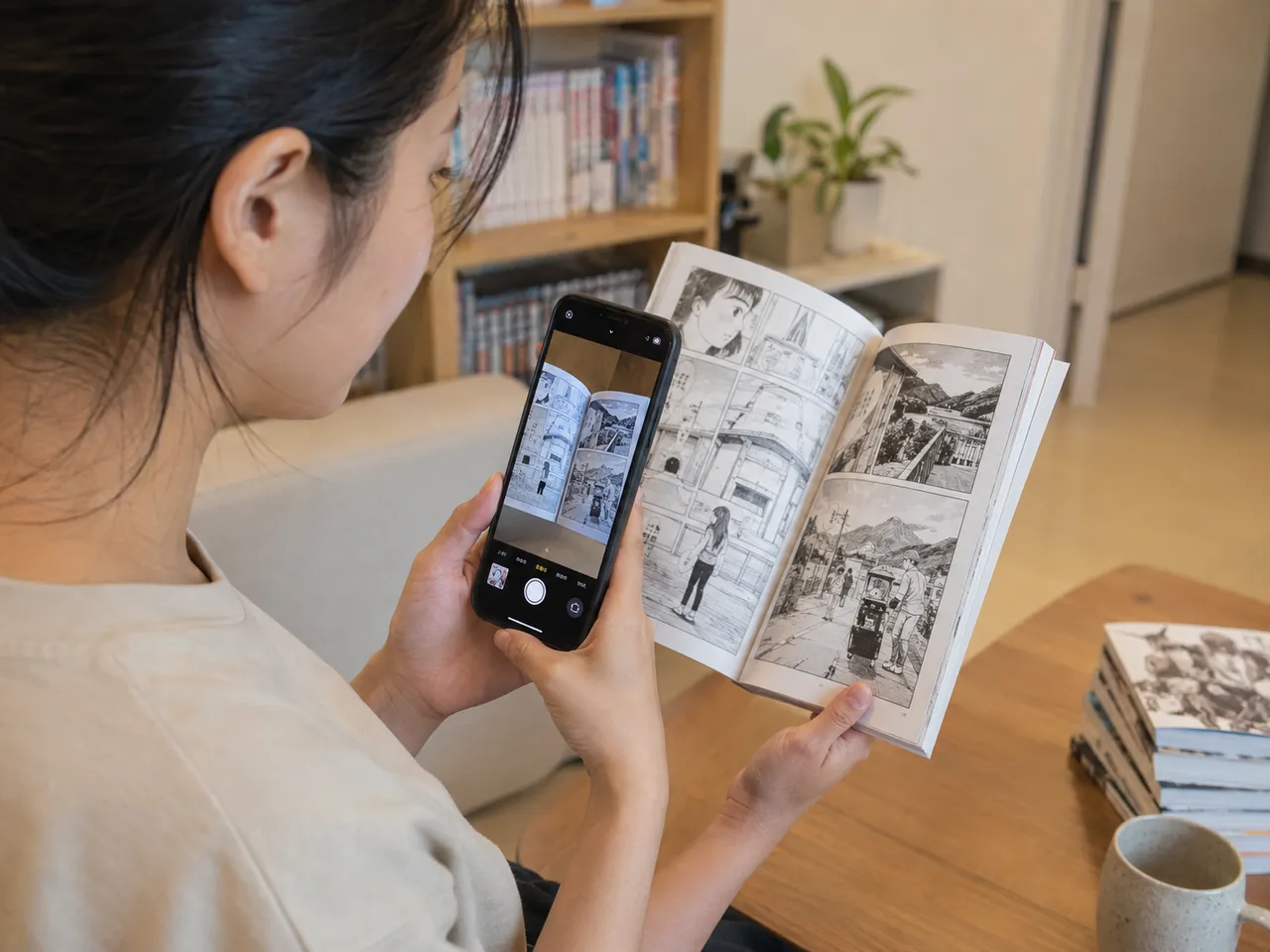
You are reading a Chinese comic, a textbook page, or a post in your feed. Photograph it (or paste the text) and TingWo reads the Chinese, finds the words you probably do not know yet, and drops them into a spaced repetition trainer. This guide shows how that works, and why.
- What TingWo is
- Start with real text you care about
- Reading the colors
- What TingWo saves: words, sentences, passages
- Spaced repetition: review at the right moment
- Four ways to practice: speaking, listening, reading, writing
- Pronunciation: pinyin, zhuyin, tones
- How to study well
- Frequently asked questions
What TingWo is
TingWo is free and speaking-first. The name 聽我 / TingWo means "listen to me": language lives in sound, so it puts speaking and listening first instead of treating Chinese as silent flashcards.
You bring the text; TingWo finds the words worth learning and brings them back on a schedule tuned to your memory. It works at any HSK level, but it shines once you have some Chinese already, roughly intermediate and up, when real text starts to feel within reach.
Start with real text you care about
You can learn from anything written in Chinese: paste an article, a chat message, song lyrics, or a caption, or photograph a sign or a page. (Photos are used only to extract the text and are never stored.)
TingWo highlights the words likely new to you, treating words at or below your chosen HSK level as known and the rest as candidates. You decide which to keep.
Why it matters. You remember words you have a reason to know. Material you chose, rather than a generic frequency list, gives every word a context and a hook in your memory.
Reading the colors
TingWo colors each word by how it fits your level and your progress, so you see at a glance what to focus on. Five states:
- 你好 Green: you know it. Your review history shows it is learned.
- 谢谢 Purple: you have mastered it. Recalled correctly over weeks.
- 朋友 Blue: you should know it. At or below your HSK level.
- 经济 Yellow: learn this next. One step above your level, your
best next word.
- 北京 No color: outside your zone. Too advanced for now, or a name with no
level. You can still tap any word for its meaning.
Your own progress always wins: a learned word stays green or purple even if it is off every HSK list. The mix reads a text at a glance: plenty of yellow is a good challenge, a sea of blue means little is new.
What TingWo saves: words, sentences, passages
When you save words from a text, TingWo keeps three things, not just a bare list. Say you add:
我今天去公园。 (wǒ jīntiān qù gōngyuán) "I went to the park today."
- Your words. Each word you keep becomes a card. Save 公园 (gōngyuán,
"park") and it joins your deck.
- Example sentences. Every word keeps the sentence it came from, plus a couple
of generated examples, so it is never just a label.
- Your article, in short passages. Longer text is saved whole and split into
bite-size reading passages, so you can return to the real thing.
Reopen any saved text in Review Articles to read it straight through: tap for audio, show pinyin or a translation, tap any word to add it. Or start Flow and let your saved sentences and passages play hands-free, non-stop. No quiz, no grading in either.
Why it matters. Keeping the sentence and the source, not just the answer, anchors every word to where you met it, and that context brings it back later.
Spaced repetition: review at the right moment
TingWo turns everything you review, words, sentences, and passages, into a card and times it with a modern spaced-repetition algorithm (FSRS): it shows you each card just before you are about to forget it. Get it right and the next review moves further out; miss it and it comes back sooner.
After each review you grade yourself with three buttons: couldn't recall, got there, and easy. Words you keep getting right become mastered; words you keep missing are flagged as leeches for extra attention.
Why it matters. Too early wastes time; too late means relearning from scratch. Widening intervals are the most efficient known way to move vocabulary into long-term memory.
Four ways to practice: speaking, listening, reading, writing
The four trainers all draw on the same saved content: the words, sentences, and passages from the texts you added (see above, your article splits into passages, passages into sentences, sentences teach words). It is not four separate apps but one library practiced four ways, and each keeps its own schedule. So a word can be solid in your ear before you can read it cold, and your home screen shows what is due in each.
- Speaking trains your words. See the prompt, say the word aloud, and record
yourself to compare against a native voice. Your recording is sent to our servers for speech recognition, processed immediately, and not stored.
- Listening trains your sentences by ear. Hear the audio with the text hidden,
recall the meaning, then reveal the characters to check yourself. Or switch to Type-it mode and type what you heard for an automatic check.
- Reading trains your passages and sentences. Read the Chinese, reveal the
translation, and grade how well you understood.
- Writing trains your hand. Prompted with a word's sound and meaning, write
the characters from memory: guided stroke by stroke, or freehand on a blank canvas with an AI check. New words show the stroke order once before you try.
Why it matters. Real Chinese is heard, spoken, read, and written, and those are different skills. Training each on its own clock builds recall you can use in conversation, which silent flashcards never reach.
Want more speaking practice in context? Play Ghost Month, a free Taiwan folk-tale RPG built into TingWo where you talk to NPCs in Chinese and turn new words into review cards.
Pronunciation: pinyin, zhuyin, tones
You can show phonetics as pinyin or zhuyin (注音), color syllables by tone, and pick simplified or traditional characters, all in Settings.
The tone color system. Each tone gets its own fixed color, used everywhere on characters and pinyin alike. Take ma: 妈 (mā, mother), 麻 (má, hemp), 马 (mǎ, horse), 骂 (mà, to scold), 吗 (ma, a question word). Same sound, four tones plus a neutral fifth, five different words.
Why it matters. In Chinese, tone is meaning. Seeing each tone in the same color every time trains your ear and mouth to treat it as part of the word.
How to study well
- A little every day beats cramming. Short daily sessions keep your schedule
healthy and your streak alive; if you do miss a day, a streak freeze you have earned by showing up covers it.
- Grade honestly. The schedule is only as good as your self-grades. If a word
was a struggle, say so.
- Let the schedule decide. Do what is due rather than re-drilling words you
already know.
- Add a little at a time. Each trainer has a daily new-card limit, so reviews
do not snowball.
- Use Cram mode for extra practice. Cram picks random words for a quick
workout and never changes your real review schedule.
Frequently asked questions
Is TingWo free, and do I need an account?
TingWo is free and requires no signup. You can start adding text and learning words right away. Signing in is optional and simply saves your progress across devices.
Can I learn Chinese from a photo?
Yes. You can photograph a page, a sign, or a screen, and TingWo reads the Chinese out of the image so you can turn it into vocabulary. Photos are used only to extract the text and are never stored.
What is spaced repetition, and which algorithm does TingWo use?
Spaced repetition shows you each word just before you are about to forget it, stretching the gap between reviews every time you recall it correctly. TingWo schedules every card with FSRS, a modern spaced-repetition algorithm, so you review at the most efficient moment instead of cramming.
Does TingWo follow HSK levels?
Yes. TingWo is HSK-aware. It treats words at or below your chosen HSK level as already known and highlights the rest as candidates to learn, so it surfaces the words that are genuinely new to you.
Is TingWo good for beginners?
TingWo works at any HSK level, including beginners, and you set your level so it surfaces the right new words. It is at its best once you have roughly a year of Chinese, when you can start learning from real comics, posts, and articles rather than isolated word lists.
Can I use simplified or traditional characters?
Both. You can choose simplified or traditional characters in Settings, and the choice applies everywhere in the app.
Does TingWo teach speaking, or just reading?
TingWo has four separate trainers: Speaking, Listening, Reading, and Writing. Each keeps its own schedule, so you practice saying words aloud, catching them by ear, reading them in context, and writing the characters by hand, not just silent flashcards.
Can I practice writing Chinese characters?
Yes. The Writing trainer prompts you with a word's sound and meaning, and you write the characters from memory: guided stroke by stroke with instant feedback, or freehand on a blank canvas with an AI check. New words show the stroke order once before you try, and your drawing is checked immediately and never stored.
Is my microphone recording uploaded anywhere?
Your recording is sent to our servers for speech recognition to check which characters you said correctly, then discarded immediately, never stored. It is also played back on your device so you can compare your pronunciation against the native voice.
Can I show pinyin or zhuyin?
Both. You can display phonetics as pinyin or zhuyin, color each syllable by its tone, and switch between them in Settings.